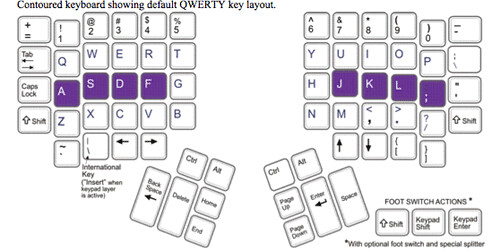
However I still find myself using my left pinky quite a bit to hit the Tab and Shift keys (highlighted in yellow below):
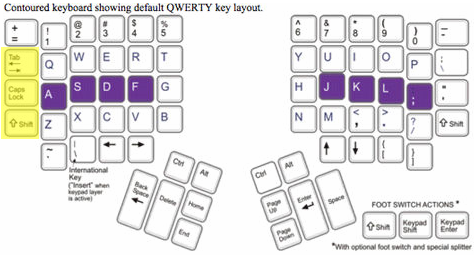
Fortunately the keyboard lets you remap keys. I would like to share the following remapping, which seems to be working better for me (less wrist pain). Basically I have remapped Tab and Shift to the thumb keys:
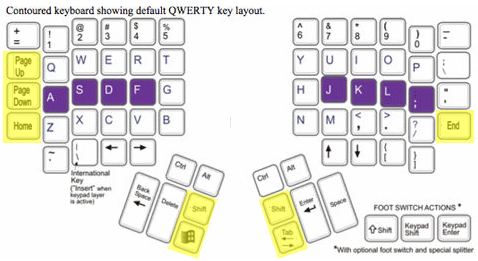
I love how Page Up, Page Down, Home, and End still make sense in their new positions.
Hope this is helpful to others.
Update: Actually it may be better to put Tab on the left thumb rather than the right, because you're used to having it on the left side.
If you have wrist problems, have you ever tried learning the DVORAK keyboard layout? Apparently it's much more comfortable, helps reduce nasty things like carpel tunnel syndrome, and allows one to type faster.
ReplyDeleteHi CHaN - Hm! Learning DVORAK has crossed my mind actually.
ReplyDeleteAny idea of how to remap keys to other (unicode) code points in a normal, non-Kinesis Windows (XP) setup? While trivial to do on *x systems with xkb and/or xmodmap, it seems more or less impossible on a modern Windows system.
ReplyDeleteHi Johan--I would recommend AutoHotKey for remapping keys (and a ton of other macro stuff).
ReplyDelete